Consumer case study · Airalo

A new experience for 30+ million travellers

How we redesigned Airalo's consumer eSIM experience on iOS, Android and Web, rebuilt from the ground up and shipped before the peak season period.

Overview

My role
Product Director, Design. Led the design team end to end
Team
4 designers across 3 product and engineering squads
Platforms
iOS, Android and Web
Shipped
v1.5, Q3 2025. Live on airalo.com and in the app stores
Outcomes
+13%

uplift on iOS after launch

+37%

uplift on Android after launch

−6%

fewer customer support enquiries about orders

+11%

increase in monthly average order value

01 · The problem

A market leader on a 2019 product

Business context

Airalo was at a pivotal moment in the eSIM market. Consumer adoption of eSIMs was speeding up, and competitors were shipping at pace.

Our consumer products were still v1, launched in 2019 (remained until Summer 2025). They were built on a legacy codebase, where changing an existing component took a disproportionate amount of engineering effort. The experience was no longer giving us the differentiation we needed to stay the market leader.

The v1 consumer app and website used dense cards, had inconsistent hierarchy, didn't comply with WCAG 2.1 Accessibility standards, and every change to these components was expensive to make.
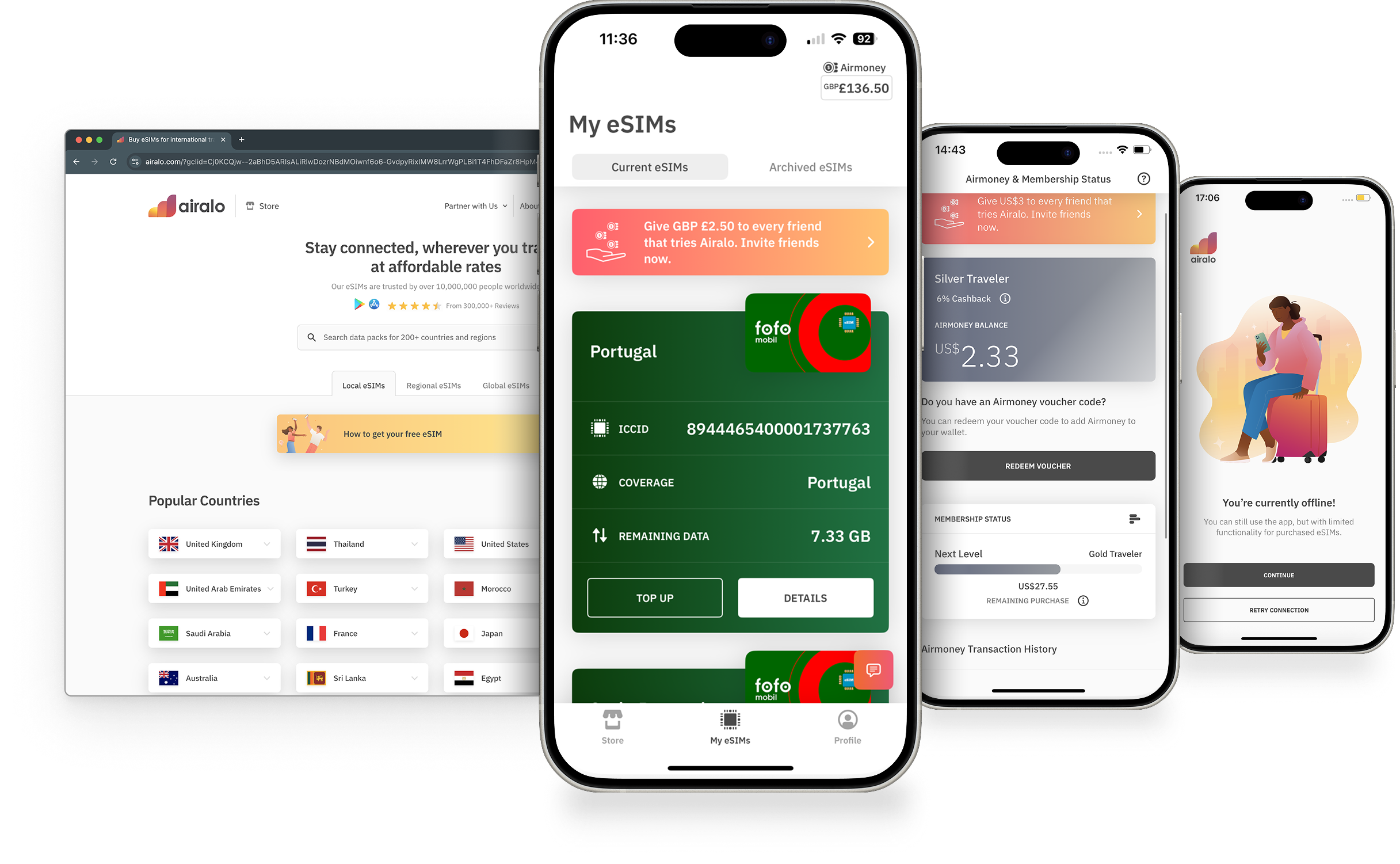
Three screens from the v1 Airalo app: an offline state, the My eSIMs list with a green Portugal eSIM card, and the Airmoney membership status screen. Plus a screen of the old homepage.
Design challenge
Design a completely new suite of consumer products, from the ground up, before the peak season.
02 · Constraints

Evolution before revolution

The big redesign (v2.0) was on the roadmap for later. The business needed something better in customers' hands sooner, so we planned an evolutionary release first: v1.5.

  1. Creation phase

    v1.0

    2019

    The original consumer apps and website. They got Airalo to market, but were built on a codebase that was hard to change.

  2. Evolutionary phase · This project

    v1.5

    Q4 2024

    A new UI and simpler core journeys on iOS, Android and Web, shipped within the existing platform constraints.

  3. Revolutionary phase

    v2.0

    Q4 2026 - Q1 2027

    The ground-up redesign, planned for later.

What we worked within
  • A hard deadline: before summer travel
  • Quality and speed over perfection
  • Three core journeys first
  • Ship, learn and iterate
Team and my role

I set up a centralised design team of four, working across three cross-functional product and engineering squads.

  • ANMe, design lead
  • SPDSenior product designer
  • SPDSenior product designer
  • CDContent designer
  • ×3Product and engineering squads
  • Led the design team and set the priorities
  • Ran research activities with research leads and product designers
  • Mapped the user flows and information architecture
  • Designed from sketch to high fidelity
03 · Approach

Not every screen gets the same attention

With one season to rebuild three platforms, we couldn't test everything. So I split the work into two tiers and spent our research time where it would move the numbers.

Tier 1

Core experiences

The journeys that drive conversion, adoption and retention. These got full design scrutiny, user testing and repeated refinement.

  • Buying an eSIM
  • Installing and activating it
  • Managing eSIMs and topping up
Tier 2

Efficient design

Secondary features, designed to be clear and functional but without extensive user testing.

  • Referrals
  • Basic account settings
Trade-off

We accepted less validation on secondary screens in exchange for depth on the three journeys that carry the business.

Defining the structure

Mapping the experience first

Before any UI, we mapped the full information architecture across the Store, Checkout and Help Centre. Each page and template was numbered, so product, design and engineering could talk about the same screen in the same way.
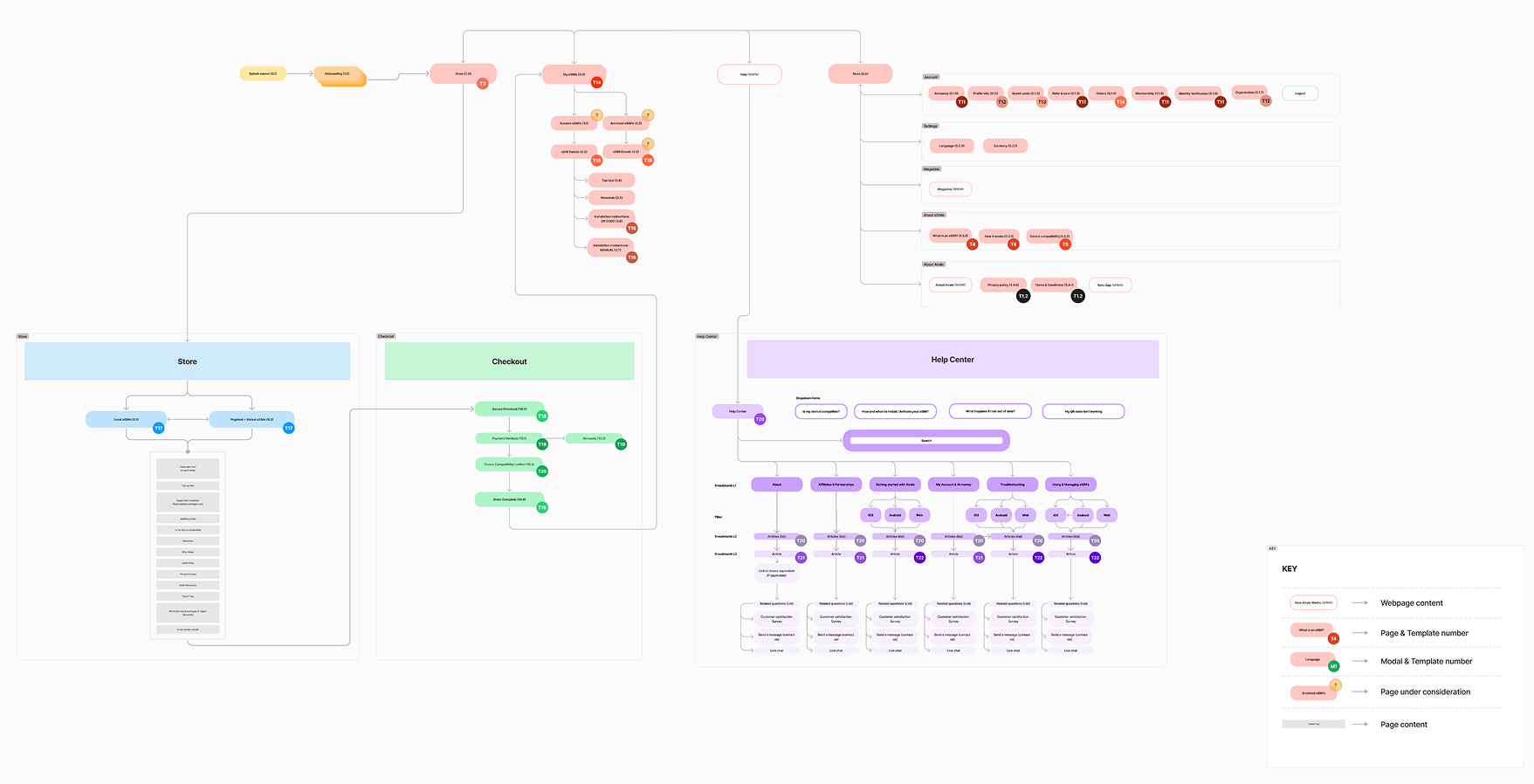
Information architecture map of the Airalo website, with Store, Checkout and Help Centre sections and numbered page templates
Site map for v1.5, with numbered pages and templates, modals, and pages still under discussion.
04 · Exploration

Sketch wide, then narrow down

We ran ideation workshops on the hardest question in the journey: how does a traveller find the right eSIM for where they're going? The team voted on each idea.
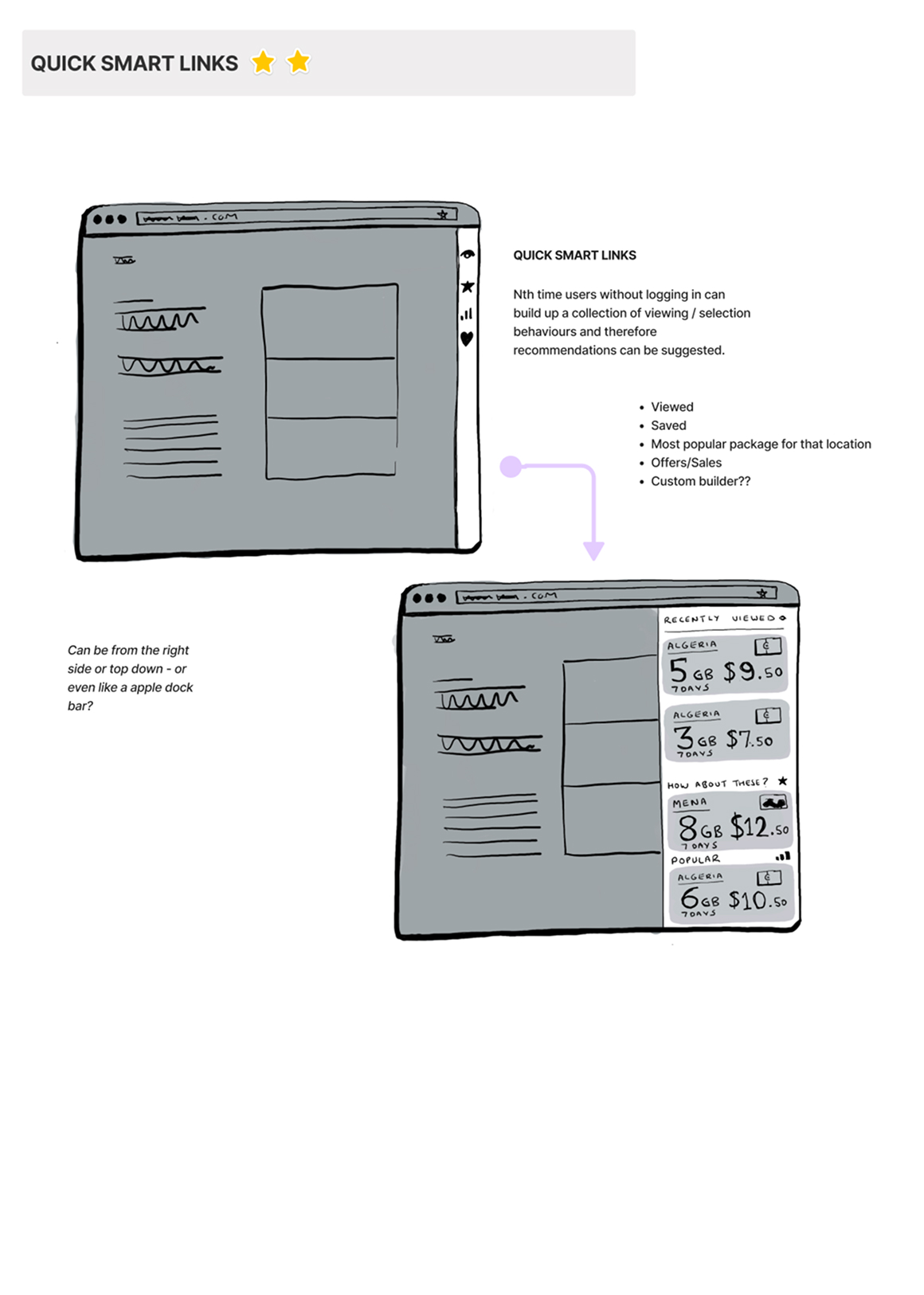
Sketch of a website with a side panel of quick smart links to recently viewed and saved packages
Quick smart linksFirst-time users build up a history of viewed and saved packages without logging in, so we can suggest the right one.
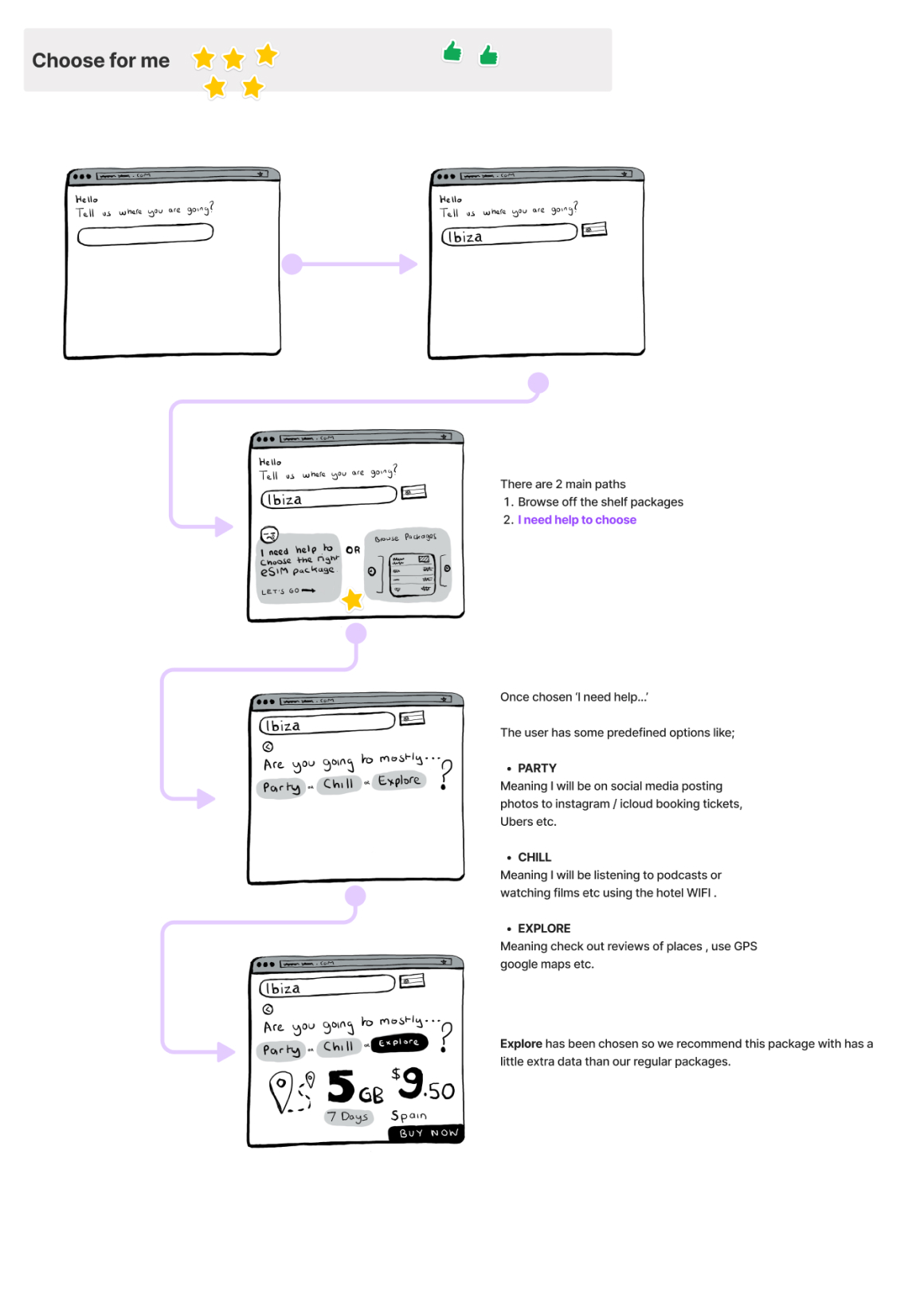
Sketch flow where the user enters a destination and picks a trip type of Party, Chill or Explore to get a recommended package
Choose for meTwo paths: browse packages yourself, or say what your trip is like (party, chill, explore) and get a recommended data amount.
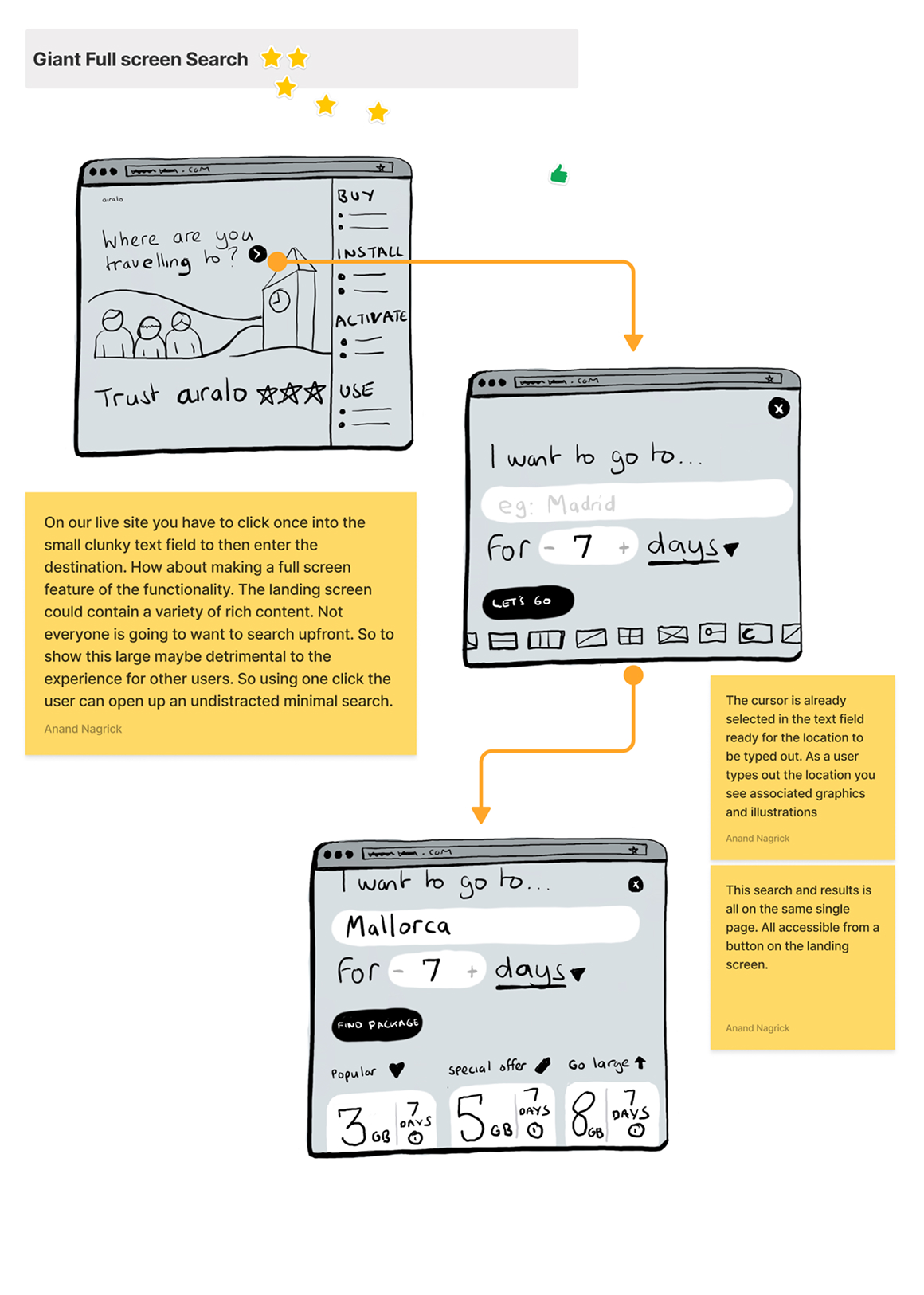
Sketch of a full-screen search asking where you're going and for how many days
Giant full-screen searchOn the live site you had to find a small, clunky text field first. Here, one click opens a focused full-screen search with the cursor ready.
Initial concepts

Turning the best ideas into screens

The ideas that scored best became early high-fidelity concepts for web and app: all locations, the Help Centre and package pages.
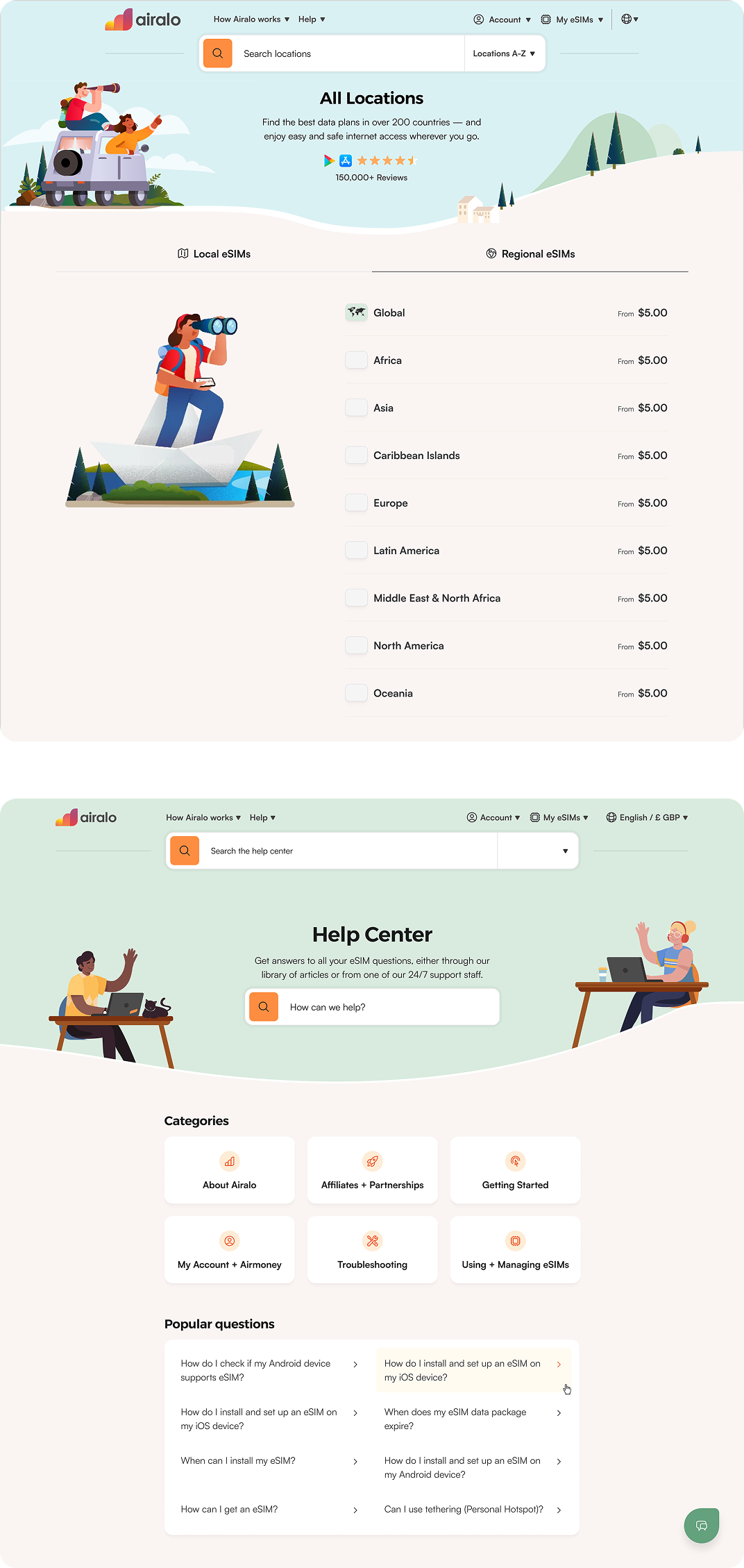
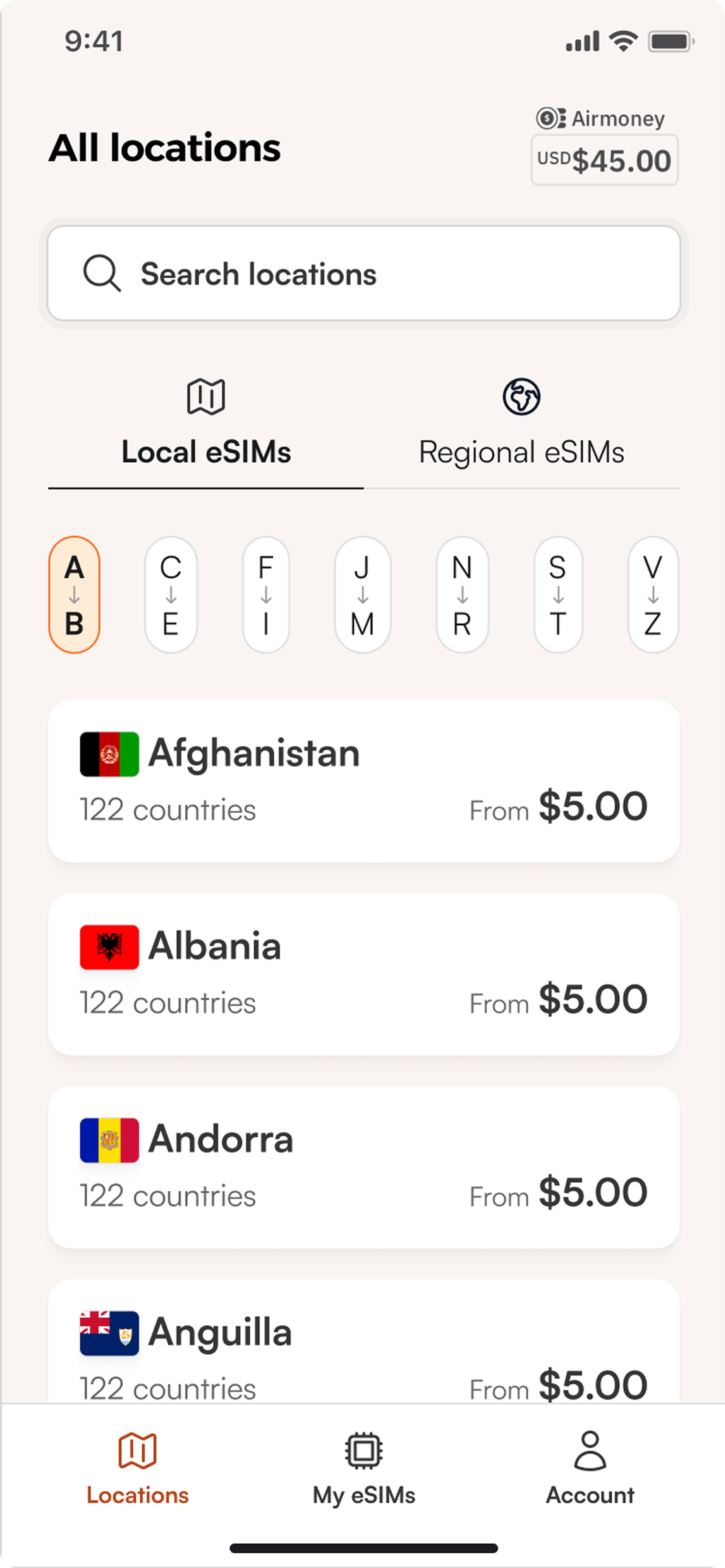
Early web concepts of the All Locations page and the Help Centre
WebAll locations and the Help Centre, with search at the top of every page.
Early app concept of All locations, with local and regional tabs and an A to Z index
All locationsLocal and regional eSIMs, with an A to Z index for fast scanning.
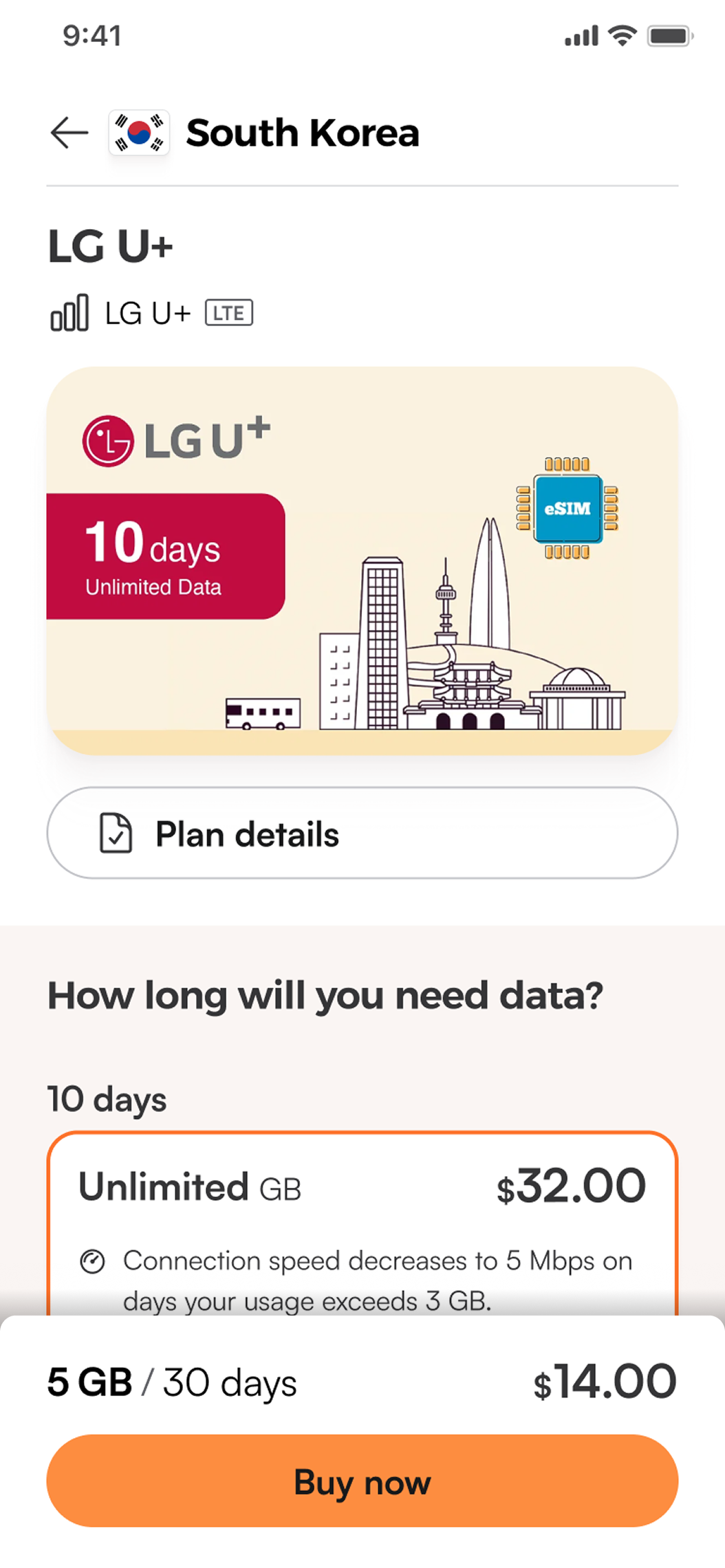
Early app concept of a South Korea package page with duration options and a Buy now bar
Package pageChoose how long you need data, with the price and Buy now always in reach.
05 · Validation

Sense checking with users

We tested the first iteration with a range of users, using three tasks: first impressions of the landing page, searching, and browsing for data packages.
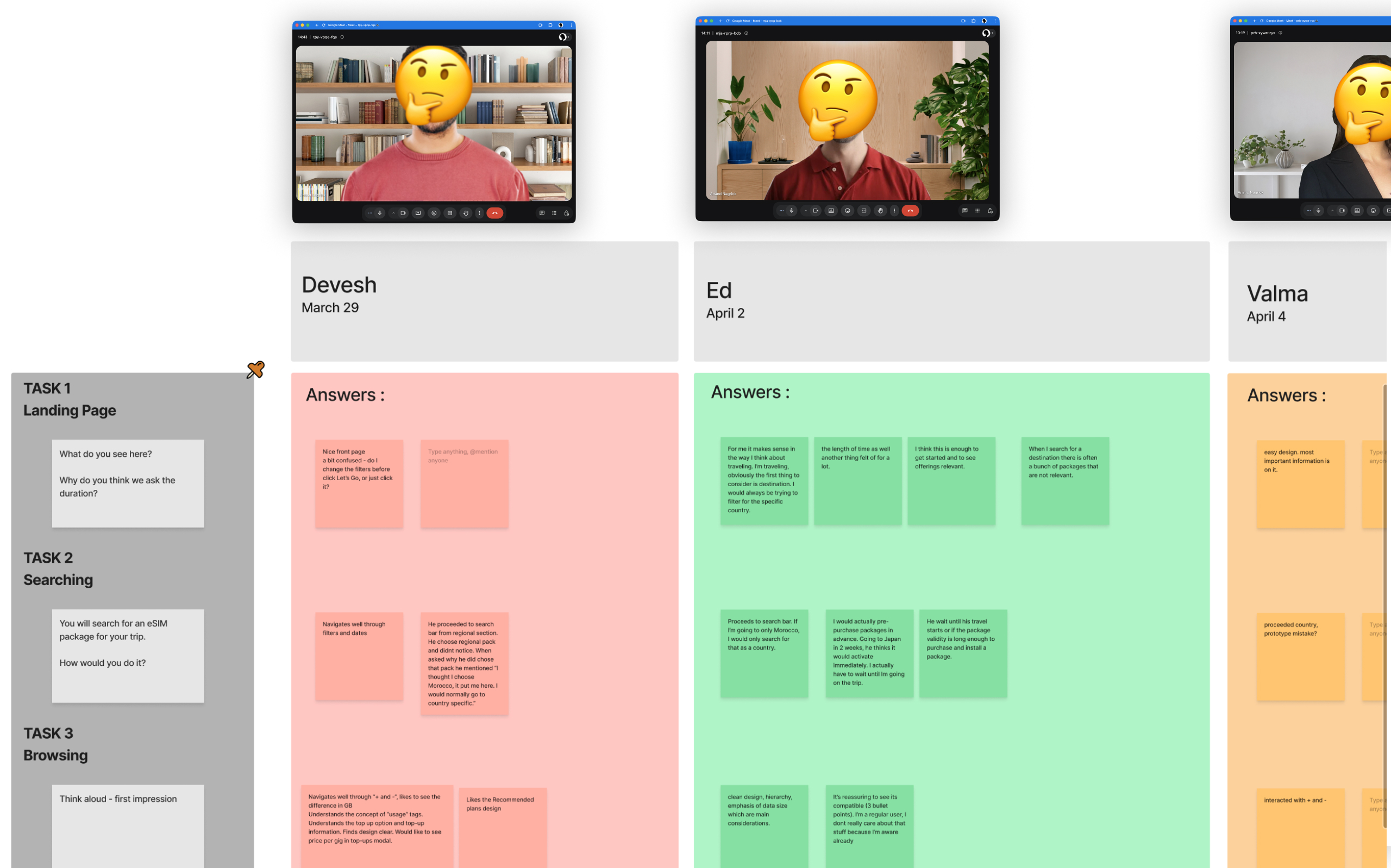
Research synthesis board with a column of answers per participant for each task
Synthesis board: one column per participant, one row per task. Participant faces are hidden.
What we learned

People wanted more than one release could hold

We tested several search and browse concepts with lots of features. Users responded well to many of them, which told us where the demand really was.

Decision

Instead of cramming every feature into v1.5, we used that demand to stagger features across a phased set of releases.

06 · Path to purchase

From 7 steps to 4

The biggest win was removing friction from buying. The v1 flow made people confirm device compatibility through a separate checkbox and then a modal, after they'd already reached checkout.

7steps in v1.0
  1. Country landing page
  2. Country package page
  3. Checkout landing page
  4. Compatibility checkbox
  5. Compatibility modal
  6. Complete order
  7. Order completed
4steps in v1.5
  1. Country landing page
  2. Choose a package
  3. Checkout
  4. Order completed
Why it worked

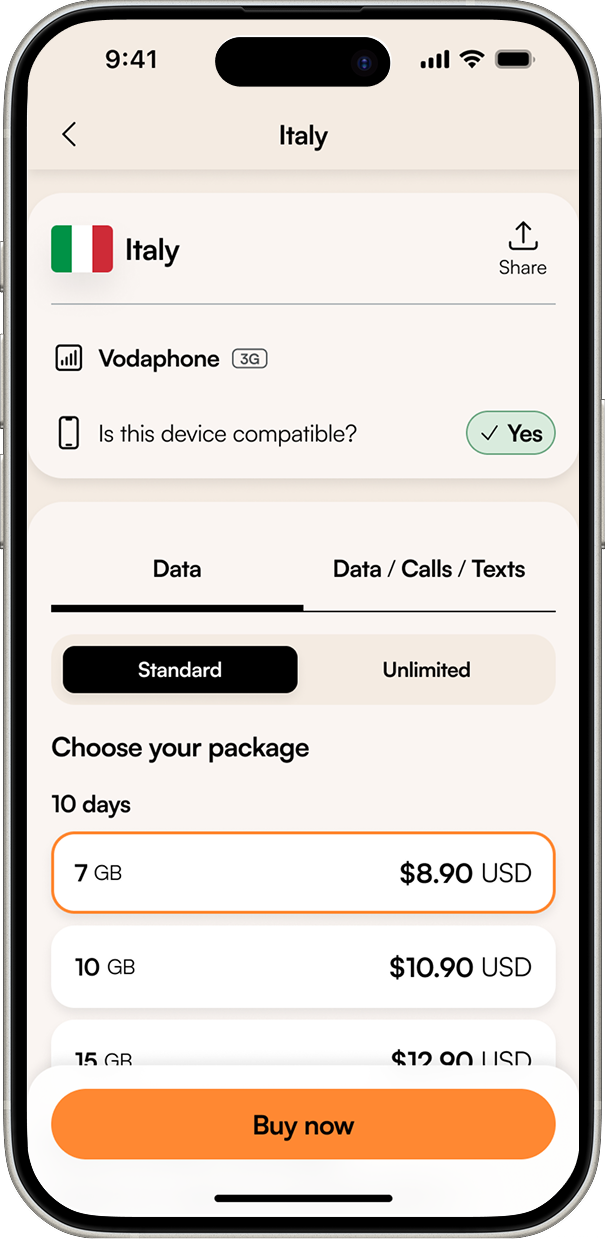
The compatibility check moved onto the package page, as a "Check compatibility" action on web and an inline "Is this device compatible? Yes" on mobile. People answer it while choosing, not as a gate at checkout.
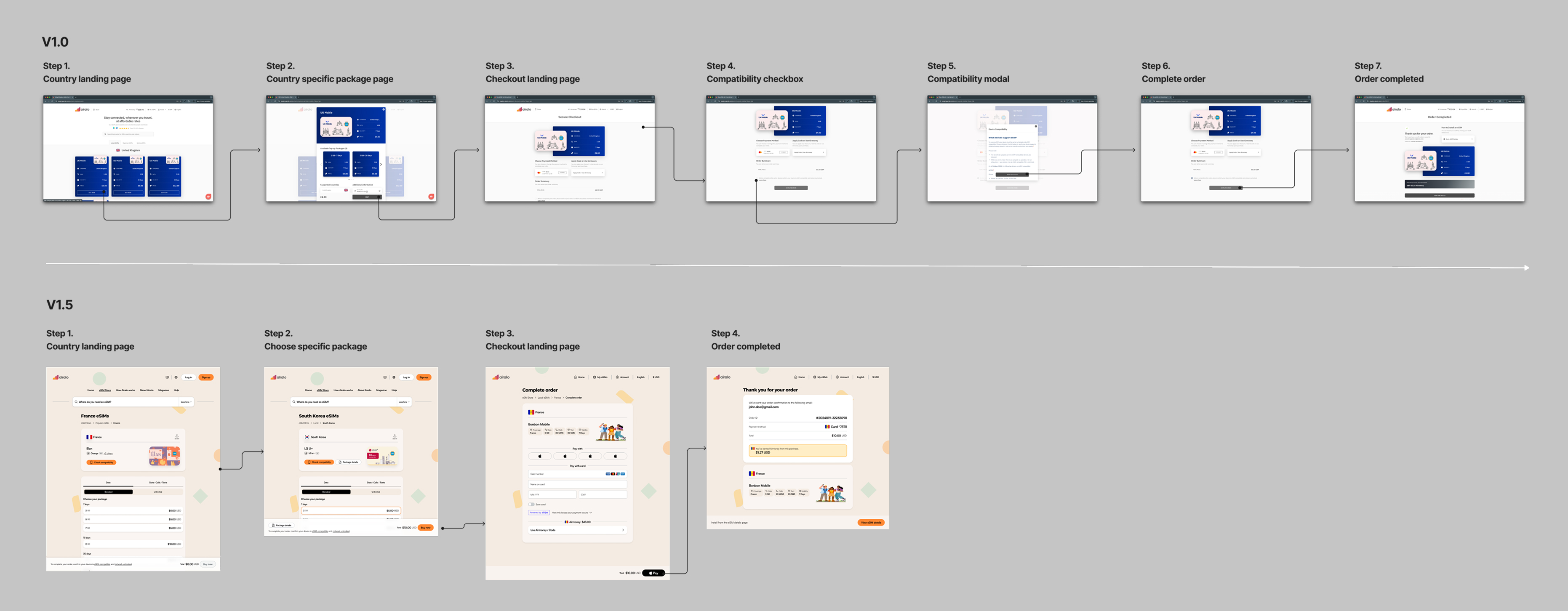
Side-by-side flow diagrams: the seven-step v1.0 purchase journey above the four-step v1.5 journey
The v1.0 journey (top) compared with v1.5 (bottom) on the web.
07 · Shipped

The mobile journey, end to end

From finding a destination to managing an eSIM mid-trip. Native conventions on each platform, and the edge cases that generate support tickets designed in from the start.
Android screen listing countries and their supported networks with a search field
1Find coverageSearch or browse every country with its networks and supported speeds, so travellers know what they're getting.
iOS Italy package page showing Vodafone, a device compatibility check marked Yes, and package options
2Choose a packageData or data plus calls and texts, standard or unlimited. Device compatibility is confirmed inline.Edge case: incompatible device
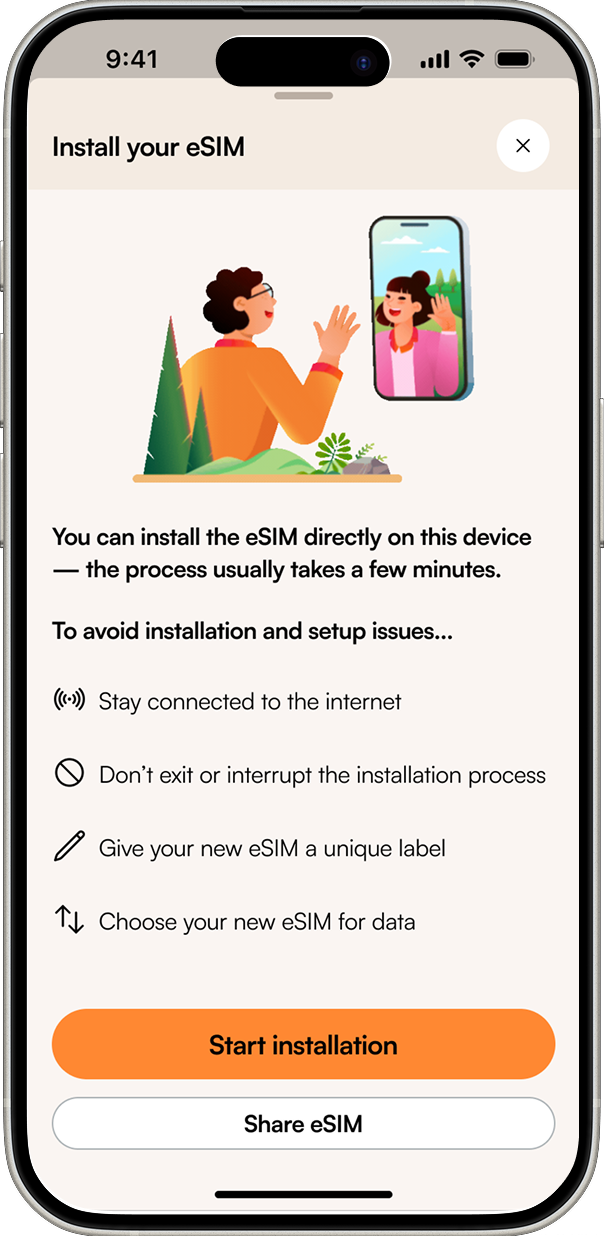
Install your eSIM screen listing tips such as staying connected to the internet and not interrupting installation
3InstallBefore installing, clear guidance prevents the most common failures: losing connection or leaving the process mid-way.Edge case: interrupted install
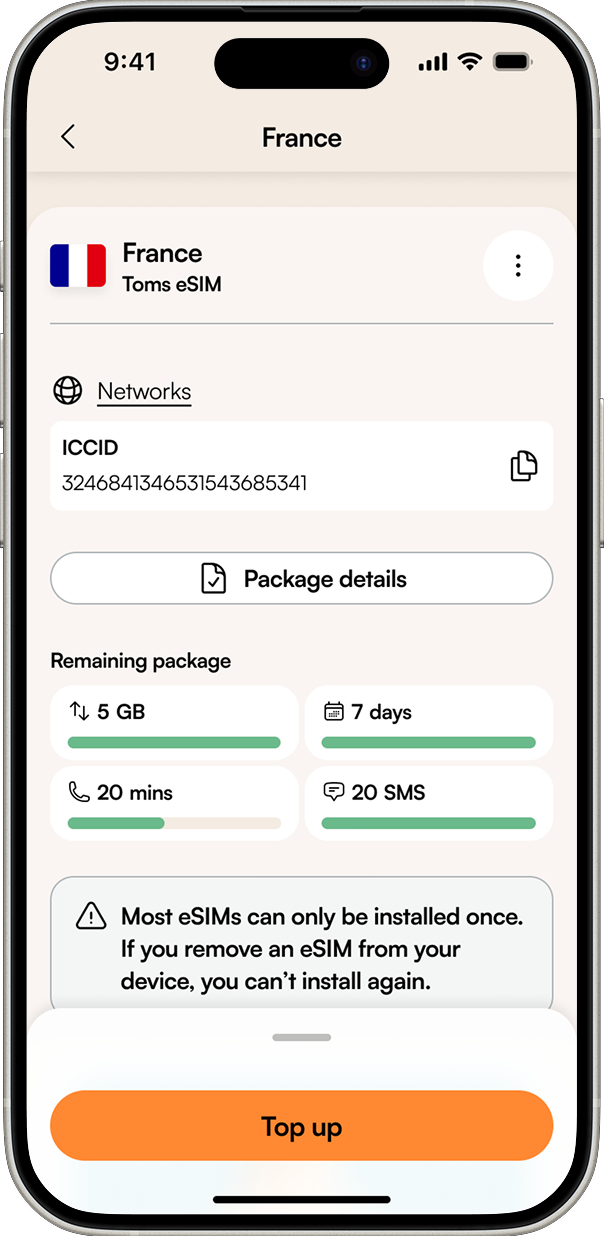
eSIM detail screen showing remaining data, days, minutes and texts, a warning that most eSIMs can only be installed once, and a Top up button
4Manage and top upRemaining data, days, minutes and texts at a glance, with top-up one tap away.Edge case: deleting an eSIM

Scroll sideways to follow the journey →

The web

One search, front and centre

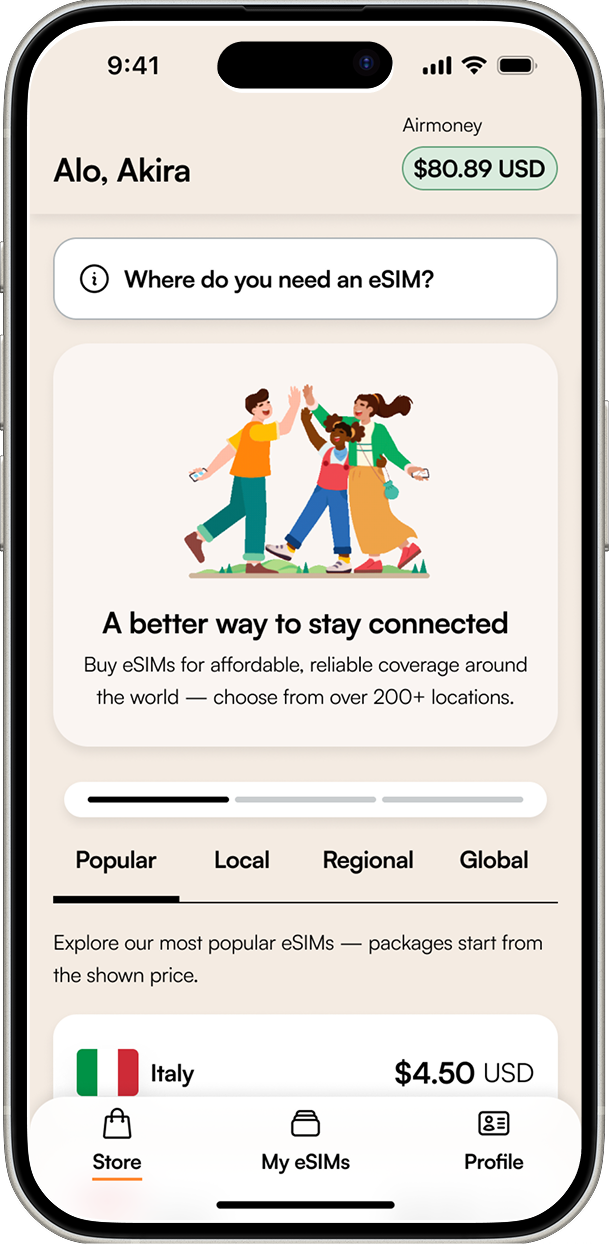
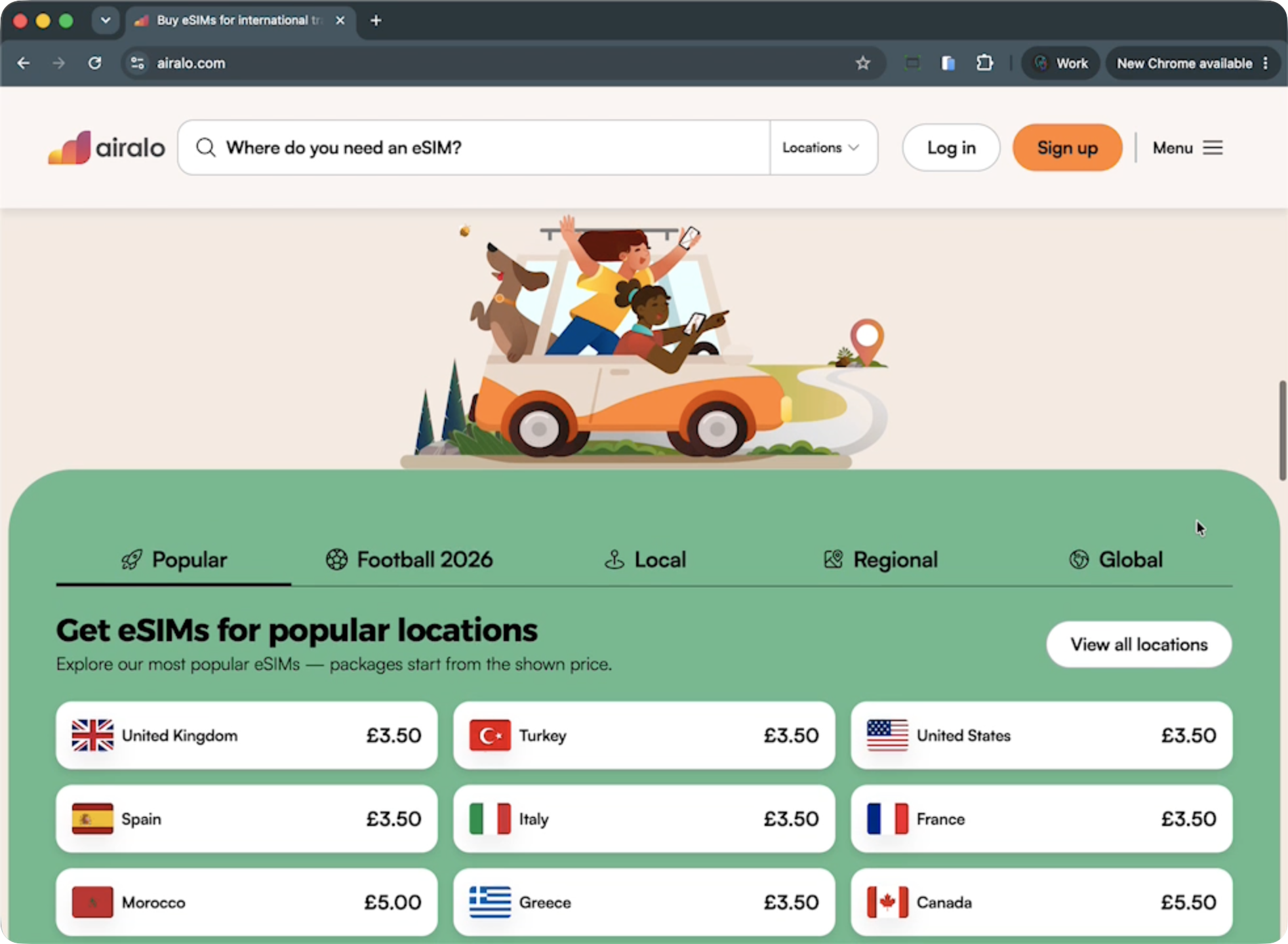
The workshop's full-screen search idea shipped in a simpler form: a single "Where do you need an eSIM?" field at the top of every page. Destinations are grouped as popular, local, regional and global.
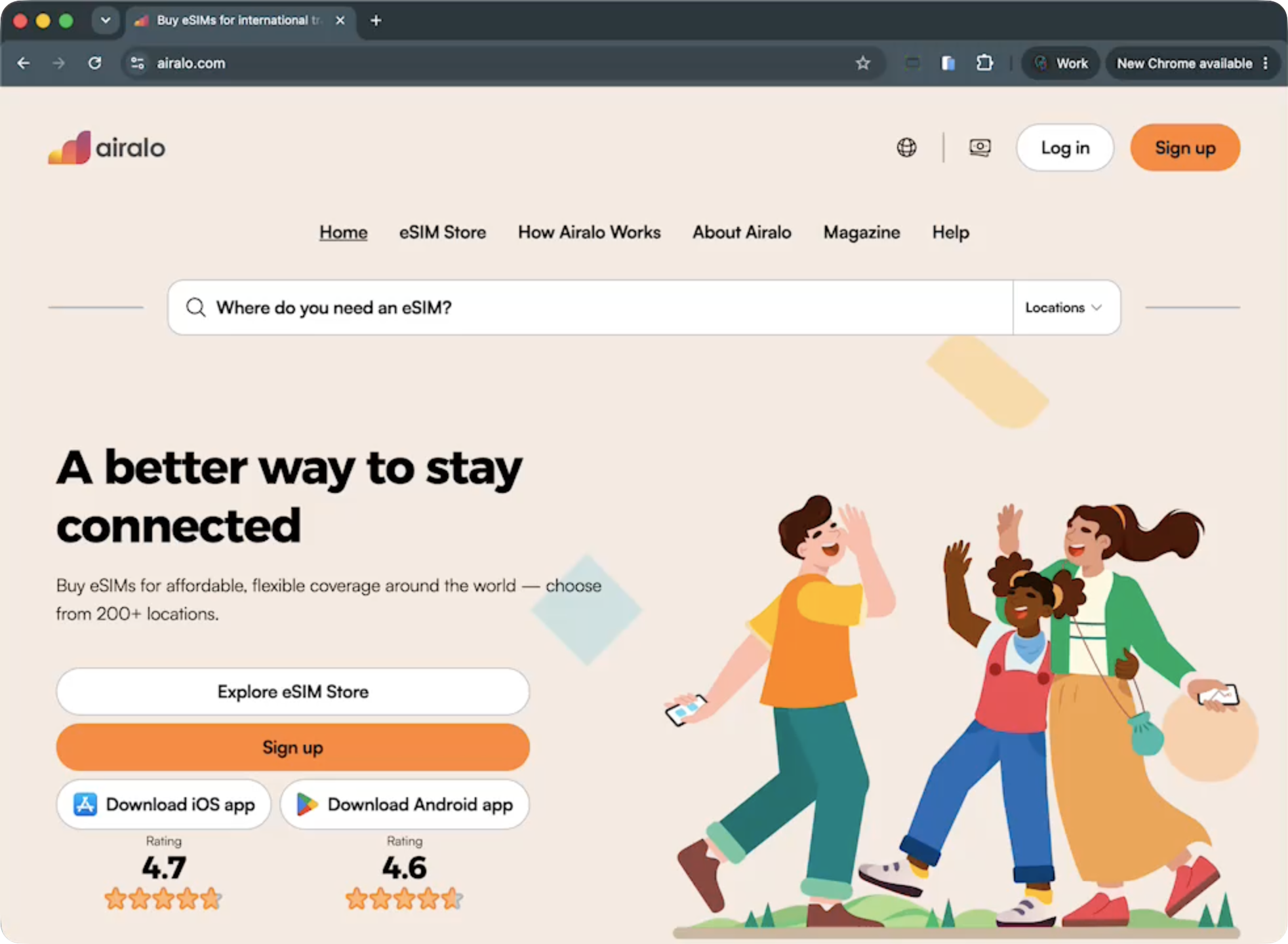
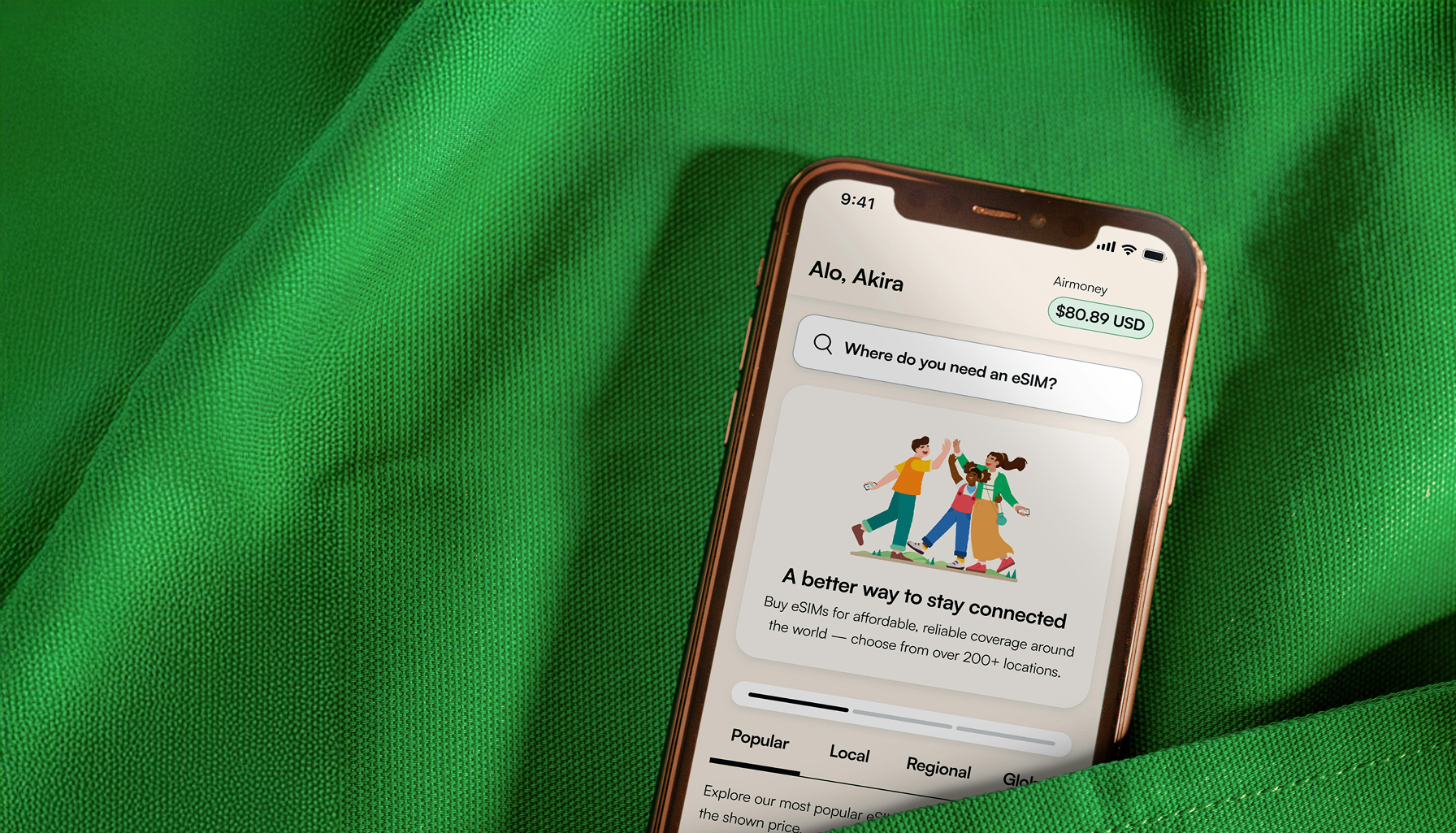
Airalo homepage with the headline A better way to stay connected and a prominent destination search
HomepageOne search field leads straight into the store.
Store page showing popular locations with prices, under tabs for Popular, Local, Regional and Global
Packages offeringPopular, local, regional and global eSIMs, each with a starting price.
08 · Craft

Sweating the details

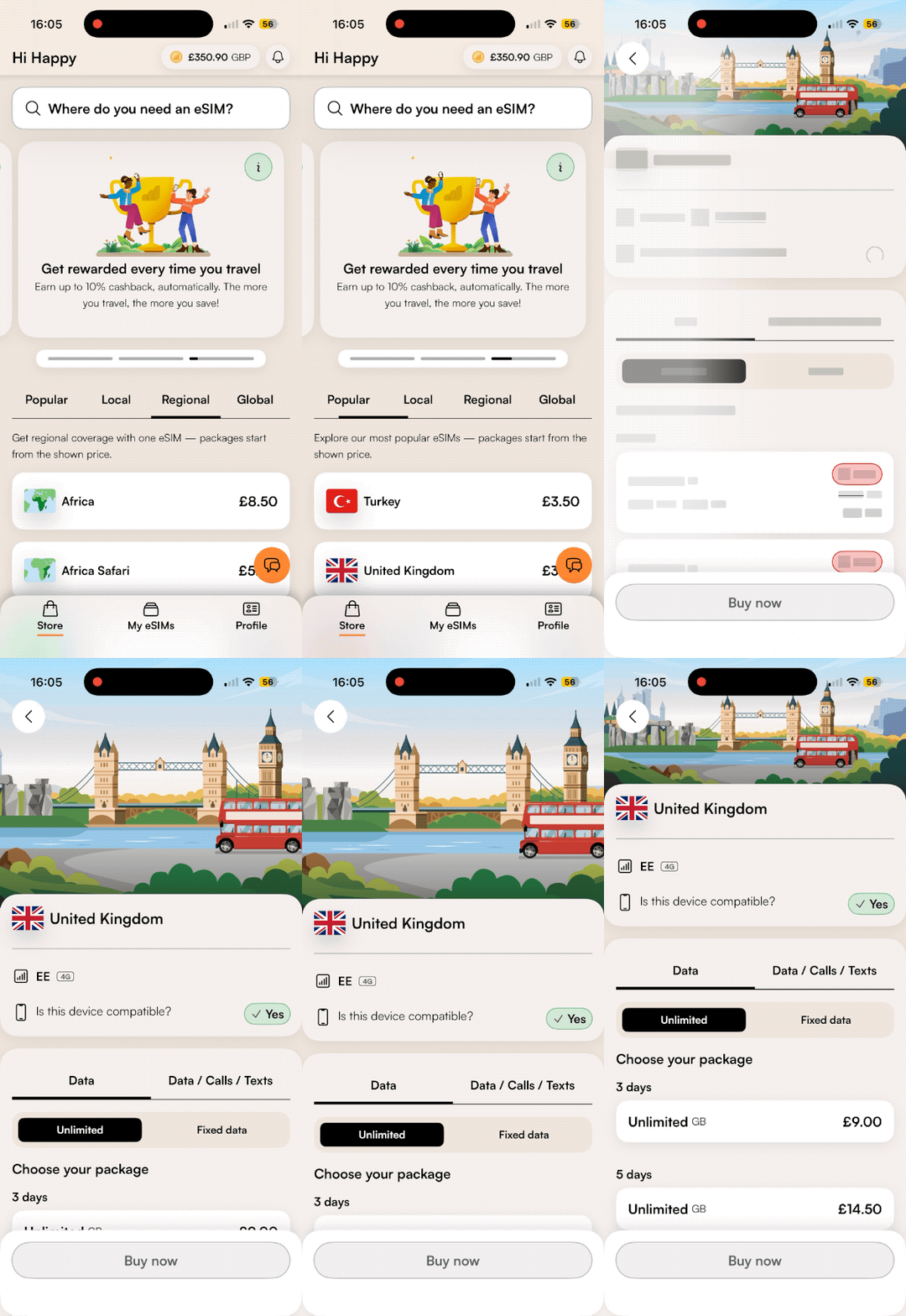
A warmer palette, illustrated scenes and lighter components brought the brand into the product.
Animated Airalo splash screen with the logo and soft geometric confetti shapes
Splash screenBrand shapes used sparingly, so the first second feels like Airalo.
Animated Store home screen with search, a rewards hero card and regional packages
ScenesIntroducing illustrated scenes into the country and region screens and removing the pseudo operator cards.
Animated hero carousel card reading Feel the freedom of unlimited data, with an illustration of two travellers
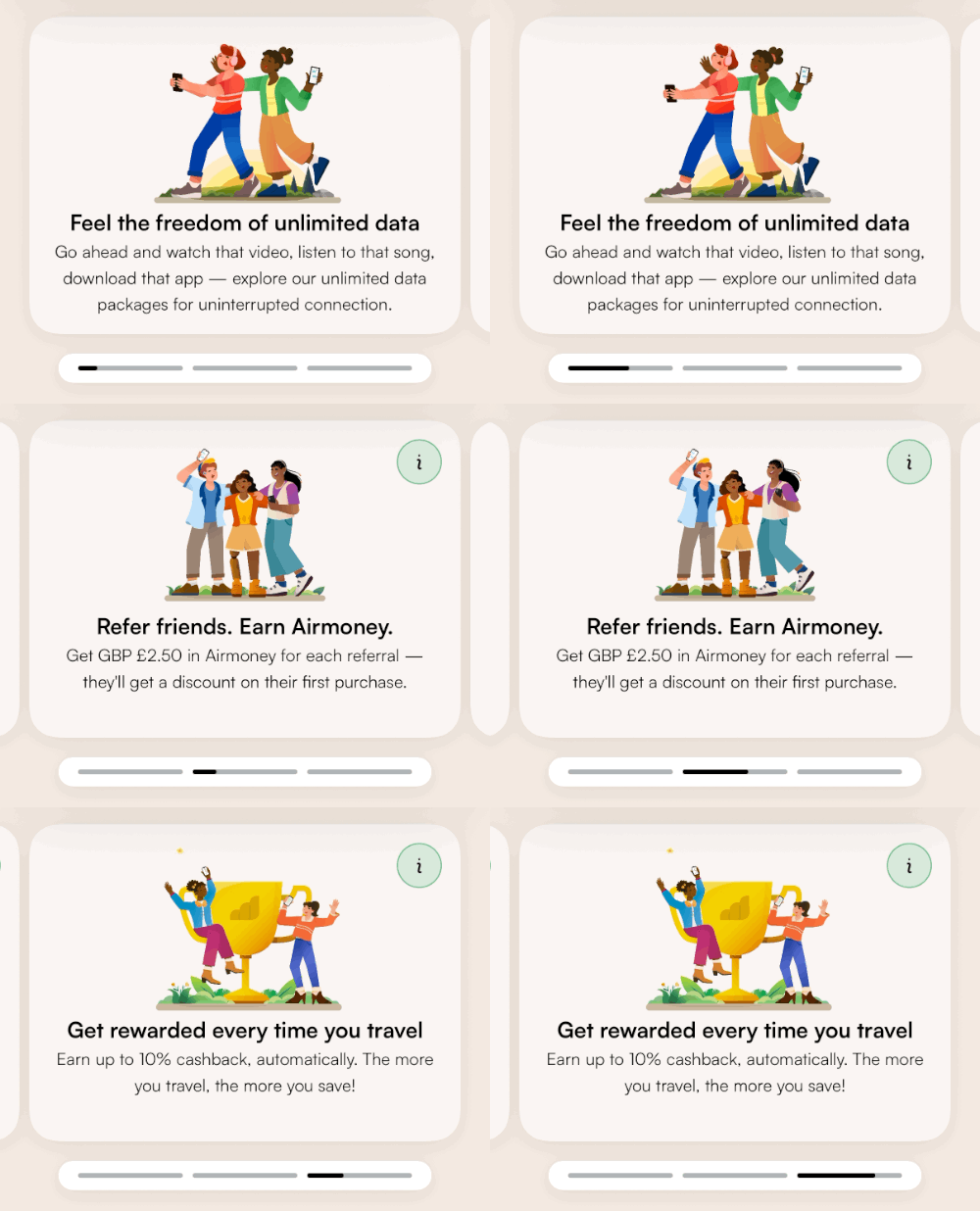
Hero sectionRotating animated promo modules for unlimited data, rewards and coverage.
Implementation checks

Design QA before launch

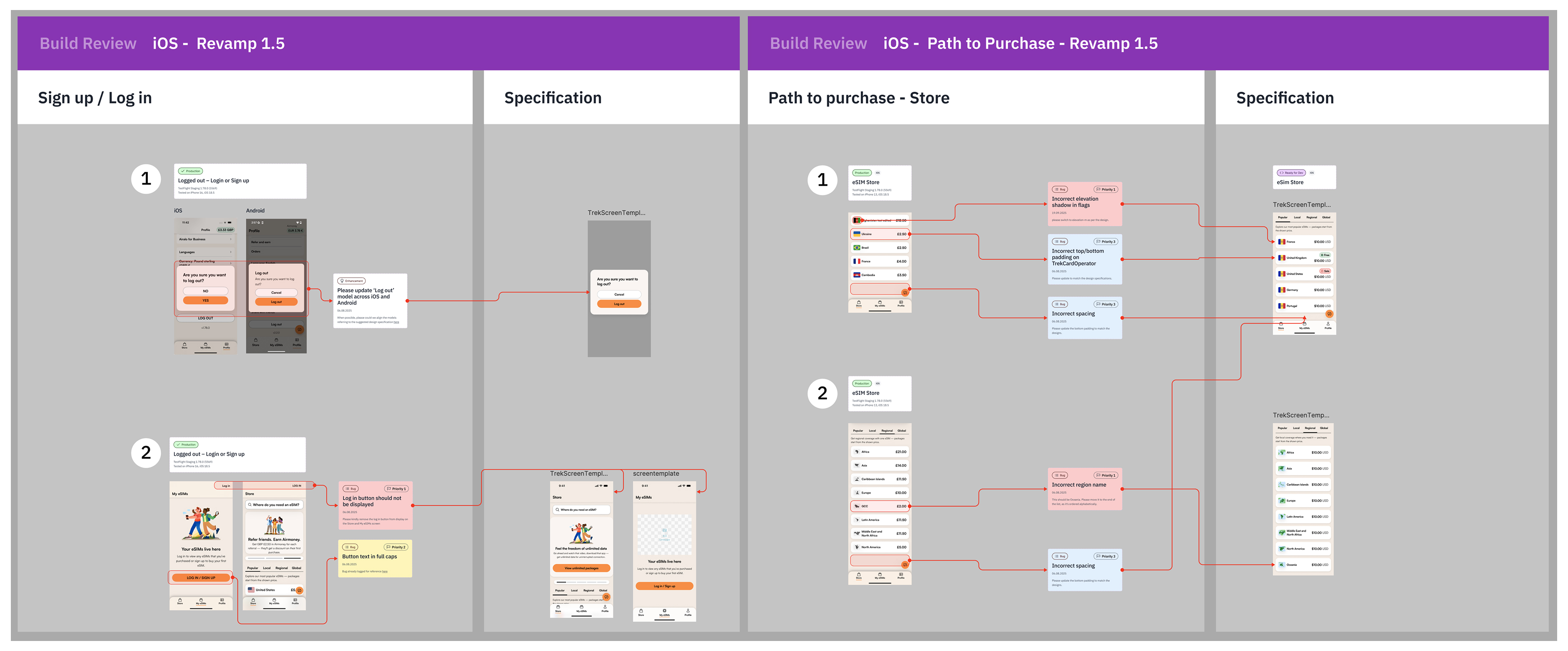
We reviewed every iOS build against the spec, flow by flow. Each issue was pinned to the exact screen and logged with a priority: missing elevation on flags, wrong padding, inconsistent region names, a log-in button that shouldn't be there.
Build review board for iOS sign up, log in and path to purchase, with annotated issues linked to the specification
Build review: sign up, log in, and path to purchase.
09 · Impact

Results after launch

+13% / +37%

uplift on iOS and Android

−6%

fewer customer support enquiries about orders

+11%

increase in monthly average order value
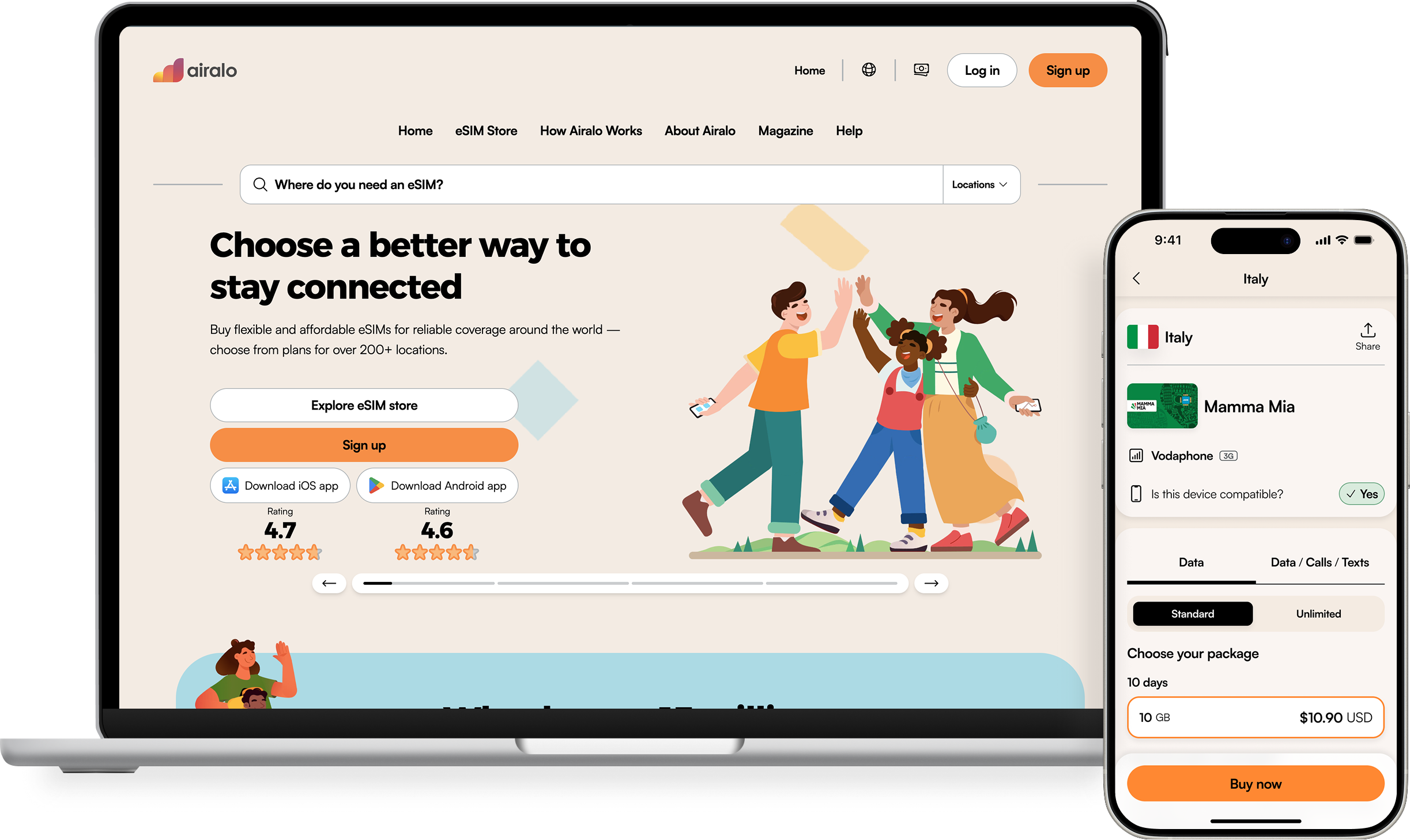
The live v1.5 Airalo website on a laptop and the Italy package page on an iPhone
10 · Reflections

What I learned

The business needed v1.5, not v2.0 yet. That didn't weaken the design. It focused it.

01

Shipping beats perfection

Good design is when the user can reach their goal clearly and quickly.

On the v1.5 timeline we had to choose good over perfect. The metrics showed that was the right call.

02

Design serves the business goal

At director level, my job was to align great design with business outcomes, and to know which release the business needed next.

03

What I'd do differently

  • Spend more time on post-launch monitoring and quick fixes.
  • Build a two-week buffer after launch for critical bug fixes.
Thanks for reading

Want the full story?

I'm happy to walk through the details of the initiative, the shelved ideas, the trade-offs and what we did afterwards.

© Anand Nagrick 2026